
Turn your business
knowledge into
conversations.
Create agents from website content, design conversation workflows, and deploy across voice, chat, and phone.

Your knowledge.
Every conversation.
Connect your content to an agent that meets customers through chat, voice, and phone.
Your content. One agent. Conversations across every channel.
Website Agent Builder
Your website already has answers.
Give them a voice.
Choose your pages, review the content, and create an agent with your business knowledge.
Explore the builder
Choose your sources
Choose the website pages your agent should use as reference content. Set whether to process only selected URLs or include linked pages, then review your crawl settings.
Review your knowledge
Review the collected website content before creating your agent. Check that the pages contain relevant, current information about your business and the questions your visitors ask.
Create your agent
Once your project is ready, create the linked agent and open its workflow. Configure the conversation and test it before deploying to the channels you need.
Answers from your content.
Help your agent respond using relevant content from your website.
Relevant website content
Source from your website
Appointment guide
yourwebsite.com/appointmentsPlease bring your booking confirmation and a photo ID.
Reference content
Selected for this question“Please bring your booking confirmation and a photo ID.”

Agent response
Voice, chat and phone.
Phone agents
Connect an AI agent to your telephony integrations and make phone conversations part of your customer experience.
Available on Pro and Enterprise
Phone conversation
Speech → understanding → response
Conversation preview
Browser voice
Let visitors speak to your agent directly in their browser. WebRTC brings the conversation to your website.
Browser voice on every plan
Browser voice conversation
Speech → understanding → response
Conversation preview
Website chat
Embed a text agent on your website so visitors can ask questions and explore your services, without leaving the page.
Website chat on every plan
Website chat conversation
Conversation preview
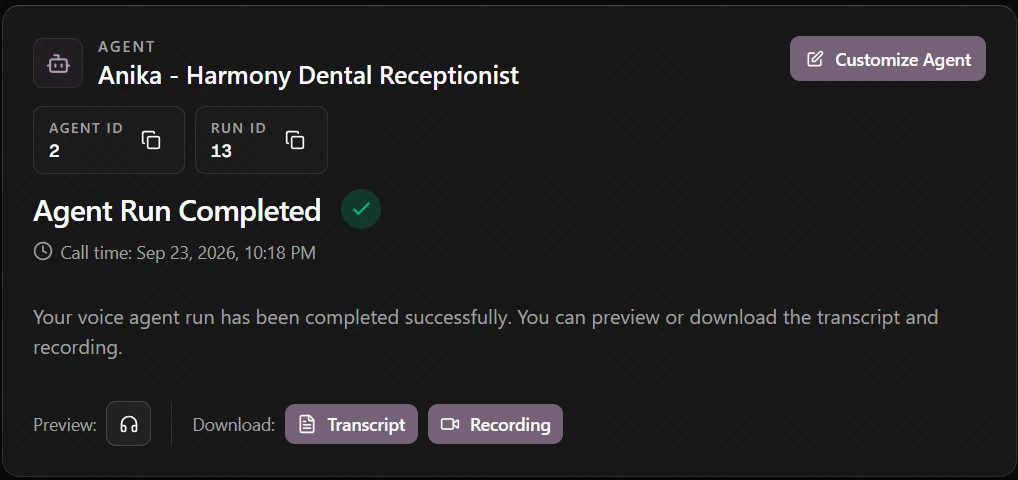
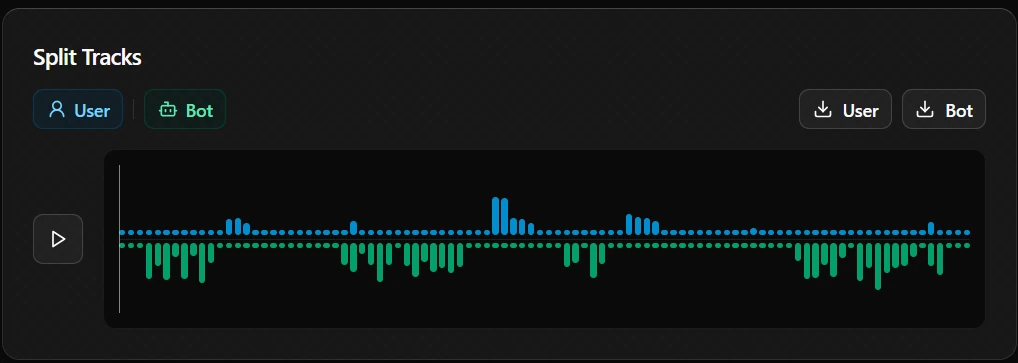
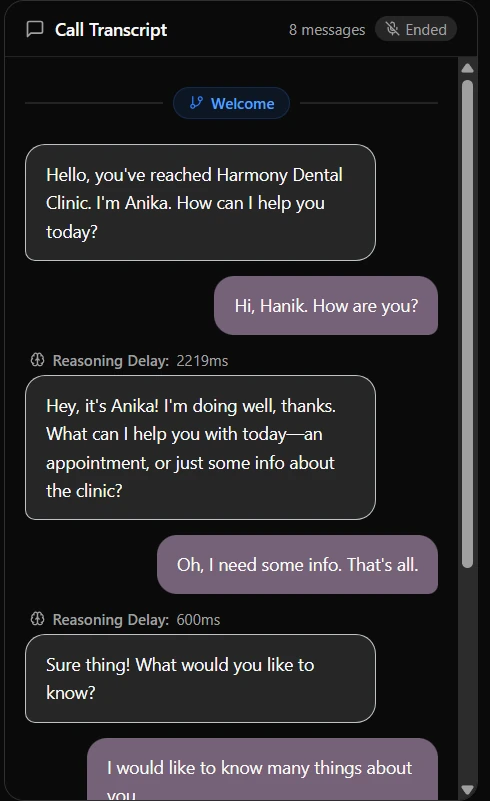
Review every conversation.
Read transcripts, replay recordings, and download them from your completed agent runs.
Read the transcriptListen to the recordingDownload both
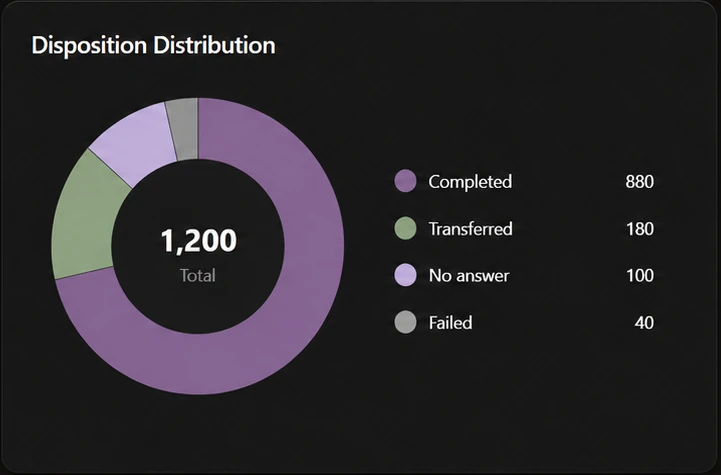
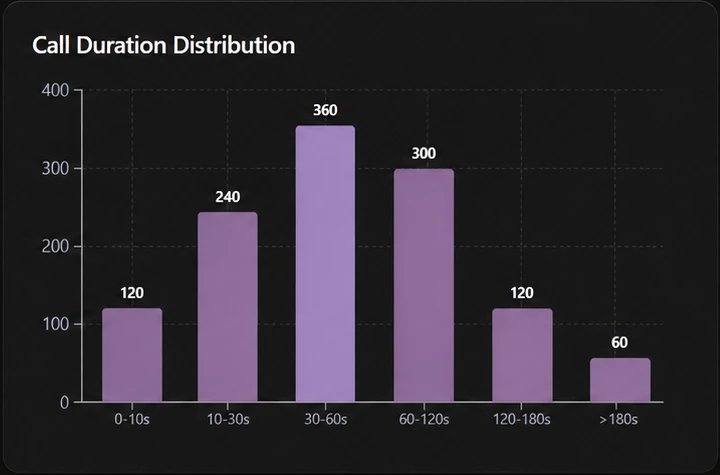
Daily reports.
Track workflow runs, call transfers, and conversation duration. Filter by workflow and date to review your agent activity.
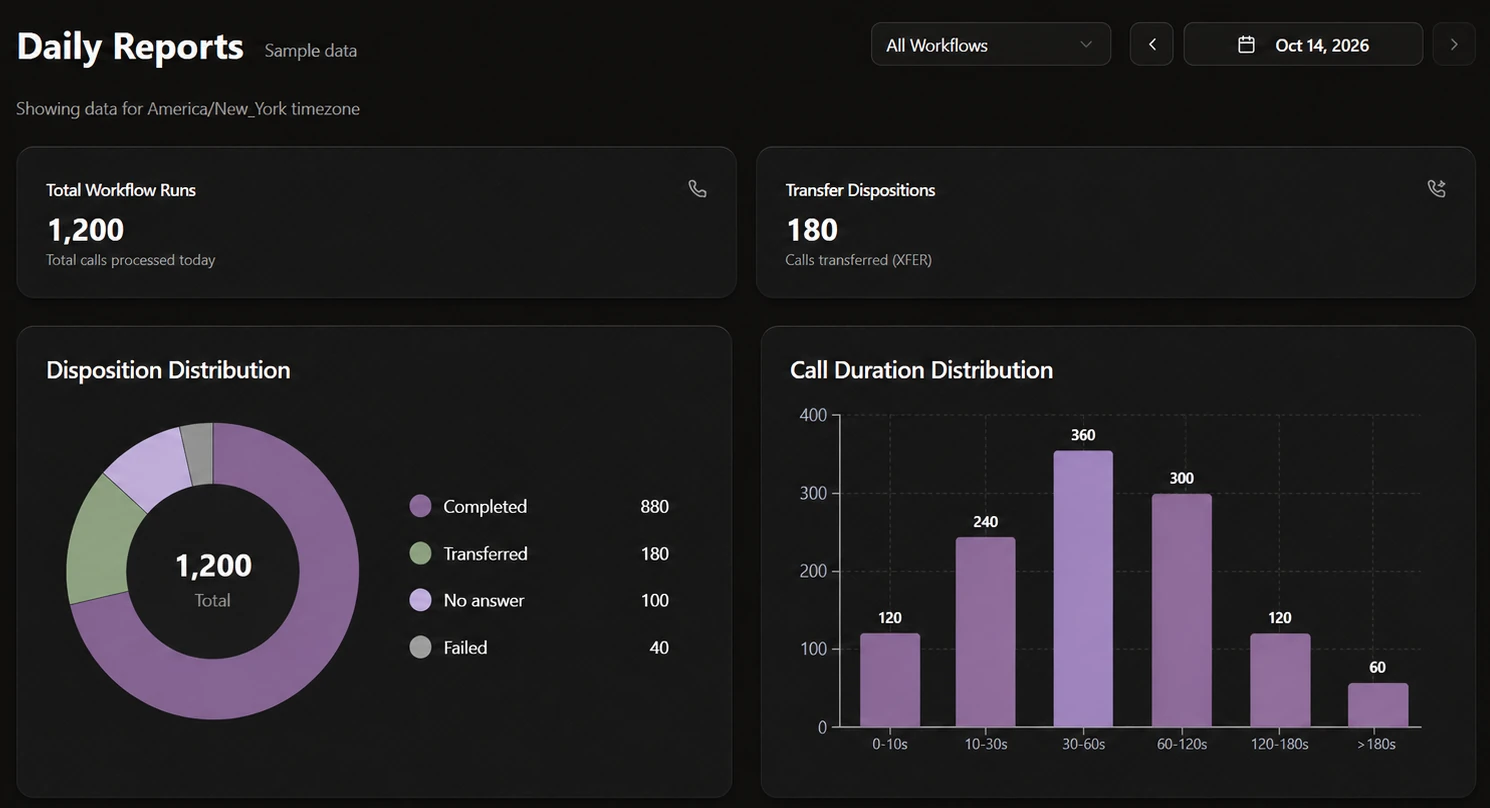
Workflow runs1,200
Transfers180
Use cases
Customer support
Help visitors explore your services, understand requirements, and find the information they need.
“What should I bring to my appointment?”
Bring your booking confirmation and a photo ID.
Website chat · Browser voice
Explore business knowledgeSales enquiries
Start a useful conversation with prospects and help them explain what they’re looking for.
“Can you help our team with voice agents?”
Are you interested in phone calls, website voice, or both?
Phone · Website chat
Discuss your use caseAppointment enquiries
Explain services and preparation steps before a customer takes the next step.
“Can I ask about an appointment?”
What service are you interested in? I can help with your enquiry.
Browser voice · Phone
Plan your agentWhat can I build with Deepsense?
Build text and voice agents for website chat, browser voice, and phone conversations. Use your business content and conversation workflows to shape the experience for your audience.
Can my agent use content from my website?
Yes. Website Agent Builder lets you choose and review website content for your agent. Relevant content can inform responses through retrieval-augmented generation (RAG). Response quality depends on the content, instructions, and model you configure.
Can I add an agent to my existing website?
Yes. Use an embeddable chat or voice widget so visitors can interact without leaving the page. Floating and inline presentations fit different page layouts; a headless approach lets you build your own interface. Website chat is included in all plans; the website voice widget is available on Pro and Enterprise.
What is the difference between browser voice and phone agents?
Browser voice uses WebRTC for conversations in a browser. Phone agents use telephony integrations for calls. Both combine speech recognition, a language model, and text-to-speech. Phone and telephony features are available on Pro and Enterprise.
Can I review conversations after launch?
Yes. Conversation history helps you review interactions and refine your agent. Free includes basic history and analytics; Pro includes history and analytics, while Enterprise includes advanced analytics.
Can an agent connect to our existing systems?
Pro and Enterprise include API access. Enterprise also supports custom integrations. Actions such as completing a booking or updating another system require the appropriate integration and configuration.
Which plan should I start with?
Free includes one agent and one user, with limited text and voice conversations. Pro is ₹4,999/month with up to five agents and five users, phone support, API access, and website voice widgets. Enterprise offers custom pricing for larger teams and requirements. See the pricing page for the full feature comparison.
Talk to our team.
Tell us what you want to automate. We’ll help you find the right setup.